
A Few Weekends with a Coding Agent Replaced My $30/Month Email App
I used to be slow at email. Threads sat unread for days. Replies took a weekend of guilt. Archiving was something I did with a mouse, one click at a time.
Superhuman fixed that. It taught me that email is a keyboard problem. c to compose, e to archive, j and k to move, Cmd+K for everything else. Within a month I stopped treating my inbox as a place I visit and started treating it as a queue I clear.
So this is partly a thank-you note. Superhuman genuinely made me productive at email, and I paid $30 a month for years, happily.
But at some point I did an honest audit of what I was actually using. It came down to three things: the keyboard shortcuts, the Cmd+K palette, and split inbox.
Three features. $360 a year for muscle memory.
Then two things happened. Superhuman got acquired, and the pace slowed. They tried to make AI the story. Meanwhile Gmail quietly shipped the same AI natively: summaries, drafting, smart search, all free, and honestly better, because Google owns the data.
That is when it clicked: Superhuman's moat was never going to be AI. The moat was feel. And feel is exactly the kind of thing you can own.
The era of personalized software
When I built Fino, my personal finance app, I wrote that AI makes small, personal software worth building again. Not generic SaaS with an AI button. Software you own, shaped around how you already work.
Email was the obvious next candidate. The muscle memory was already mine. The features should be too. When a coding agent can build and maintain a Chrome extension over a few weekends, the question stops being "which subscription do I renew" and becomes "which ten features do I actually use, and why don't I own them?"
So I built Inbox Keys, almost entirely with Claude Code, over a few weekends. It is open source, free, and on the Chrome Web Store.
The feel, kept
Hit Cmd+K and every action is a fuzzy search away: compose, triage, jump to any folder, tab, or account. If you forget a shortcut, the palette is the shortcut.
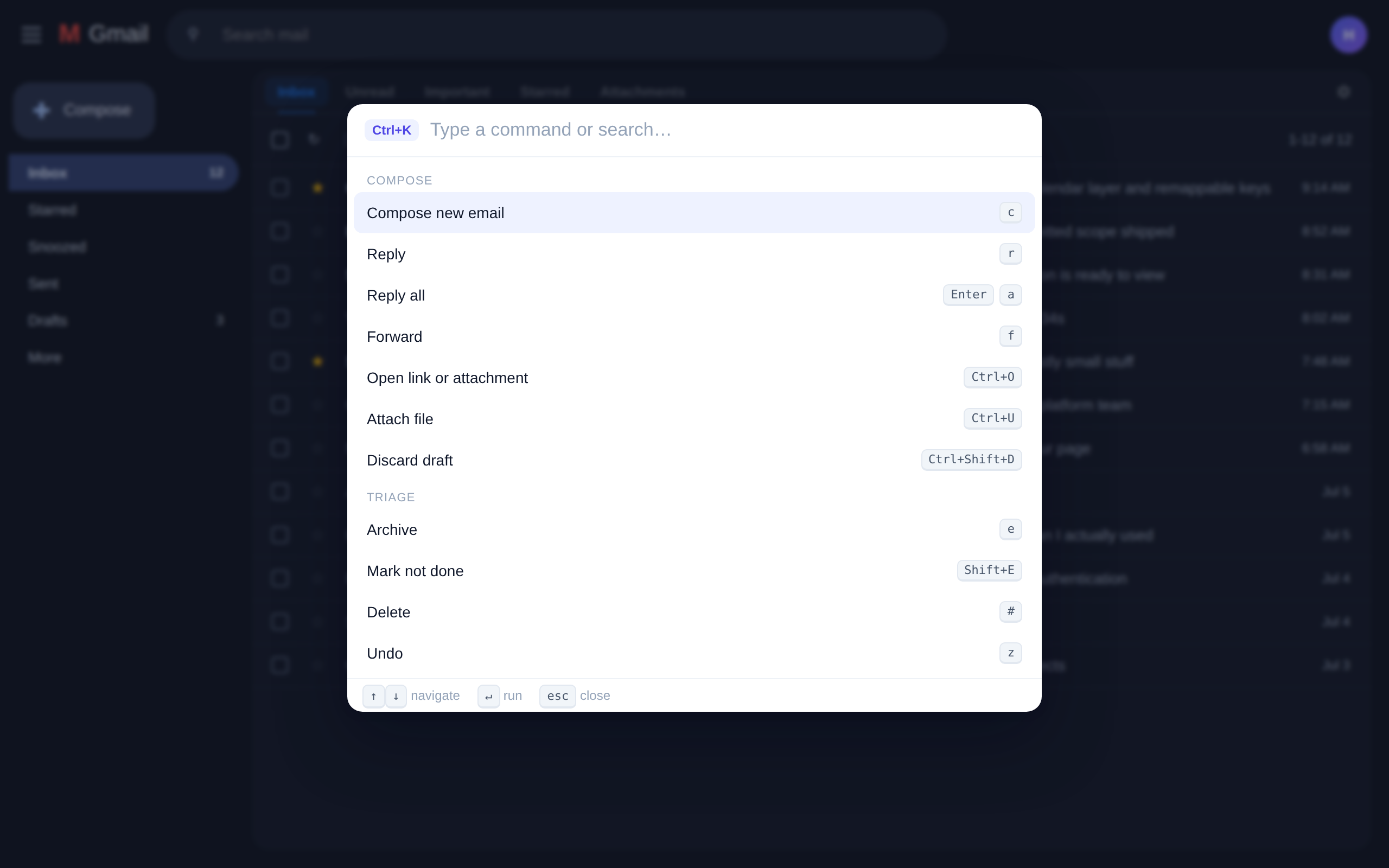
The hotkeys are the ones my hands already knew: c compose, e archive, r reply, s star, h snooze, g i for inbox, g 1 through g 8 to jump between Google accounts.
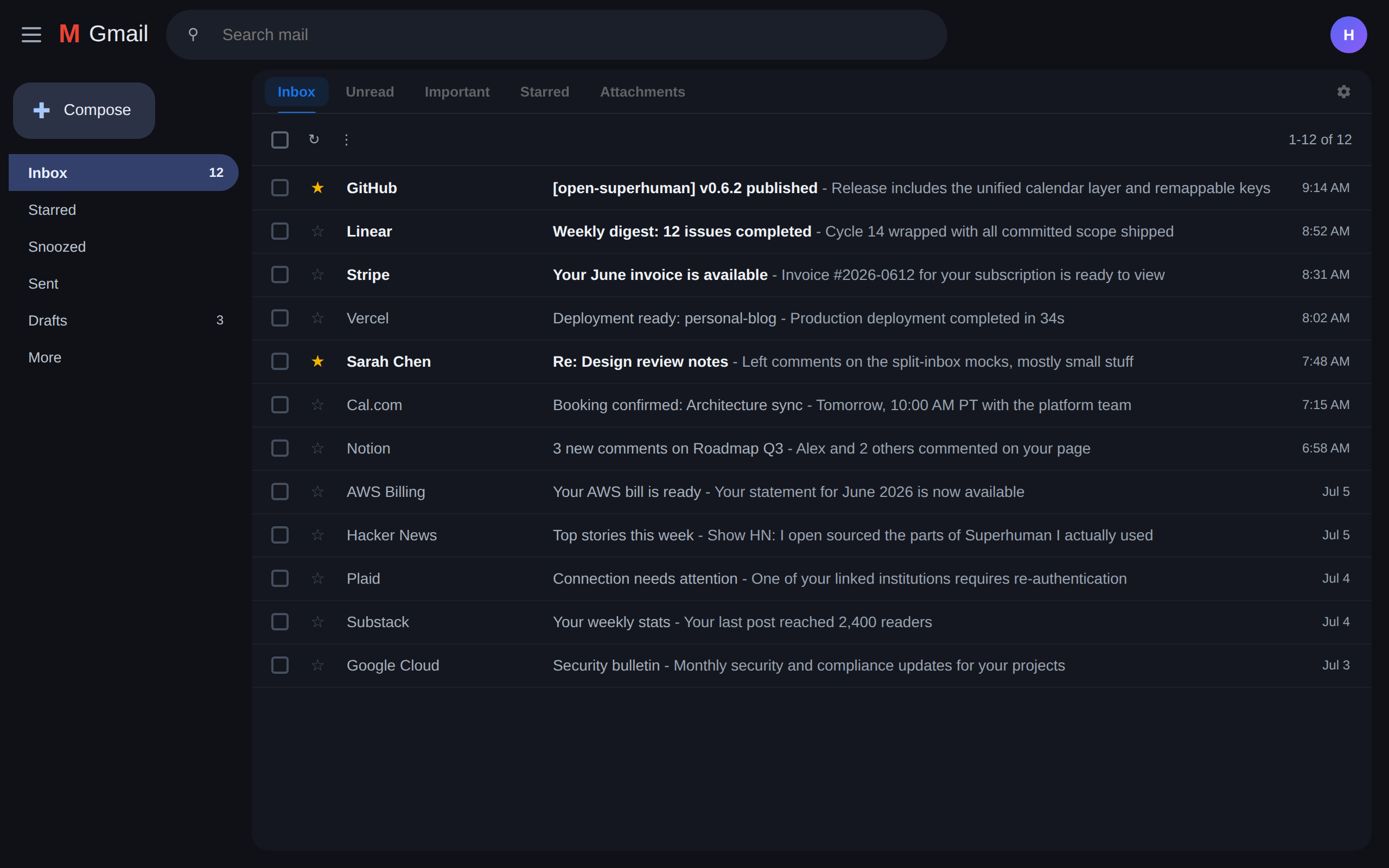
Split inbox is a tab bar over Gmail where each tab is any Gmail search: in:inbox is:unread, label:Clients, from:boss@x.com. Tab cycles through them. Gmail renders the lists itself, so it never breaks the way scraped inboxes do.
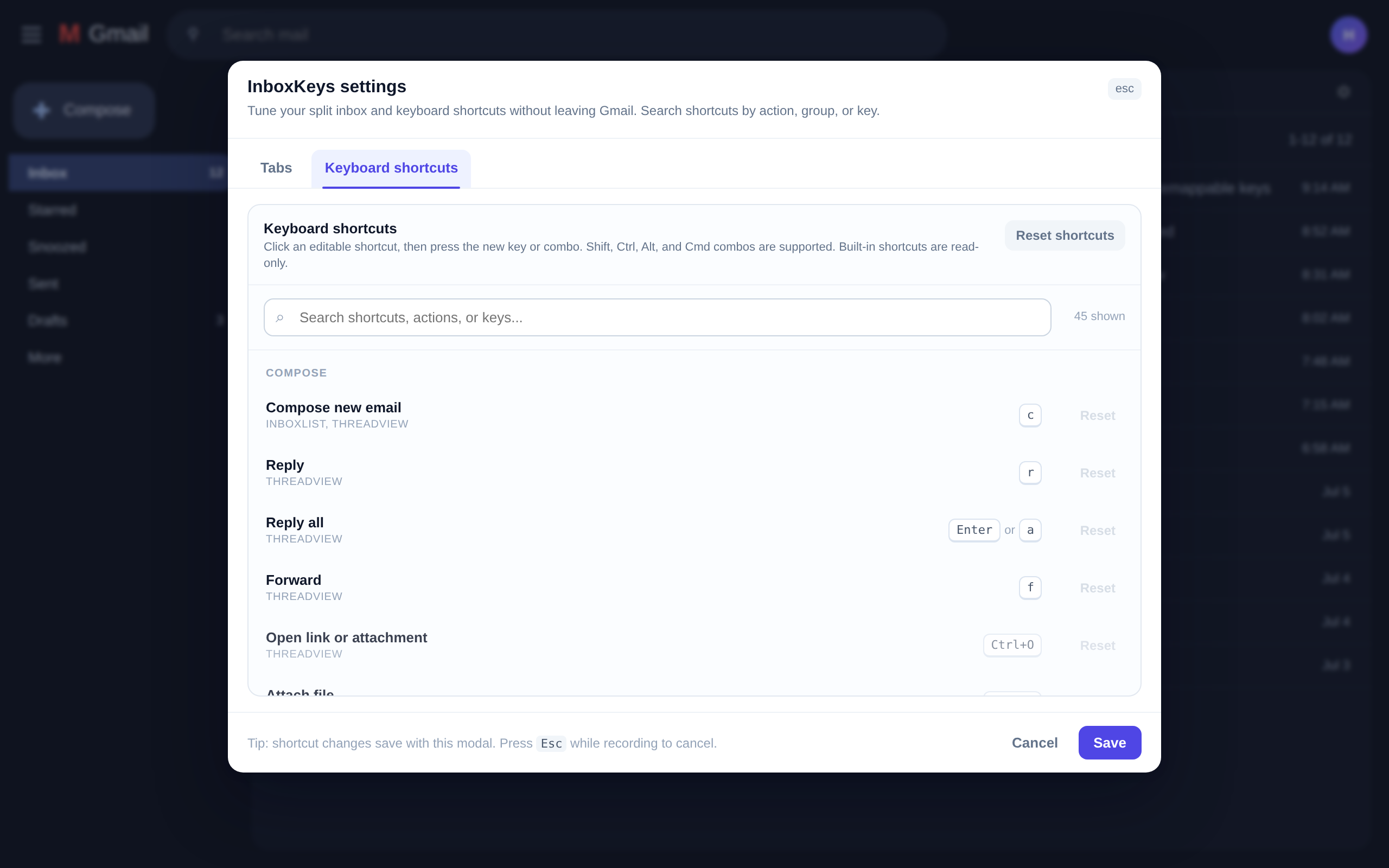
And because this is personal software, nothing is sacred: every shortcut is remappable from a settings modal inside Gmail. Click a shortcut, press the new key, done.
My calendar came along
The feature I did not plan and now cannot live without: press 0 and Google Calendar opens beside Gmail for the account you are in. On the calendar, Cmd+K opens a layer palette that merges everything into one view: toggle or focus any calendar, switch accounts, add another Google account or an Outlook/iCal feed in a guided two-step flow.
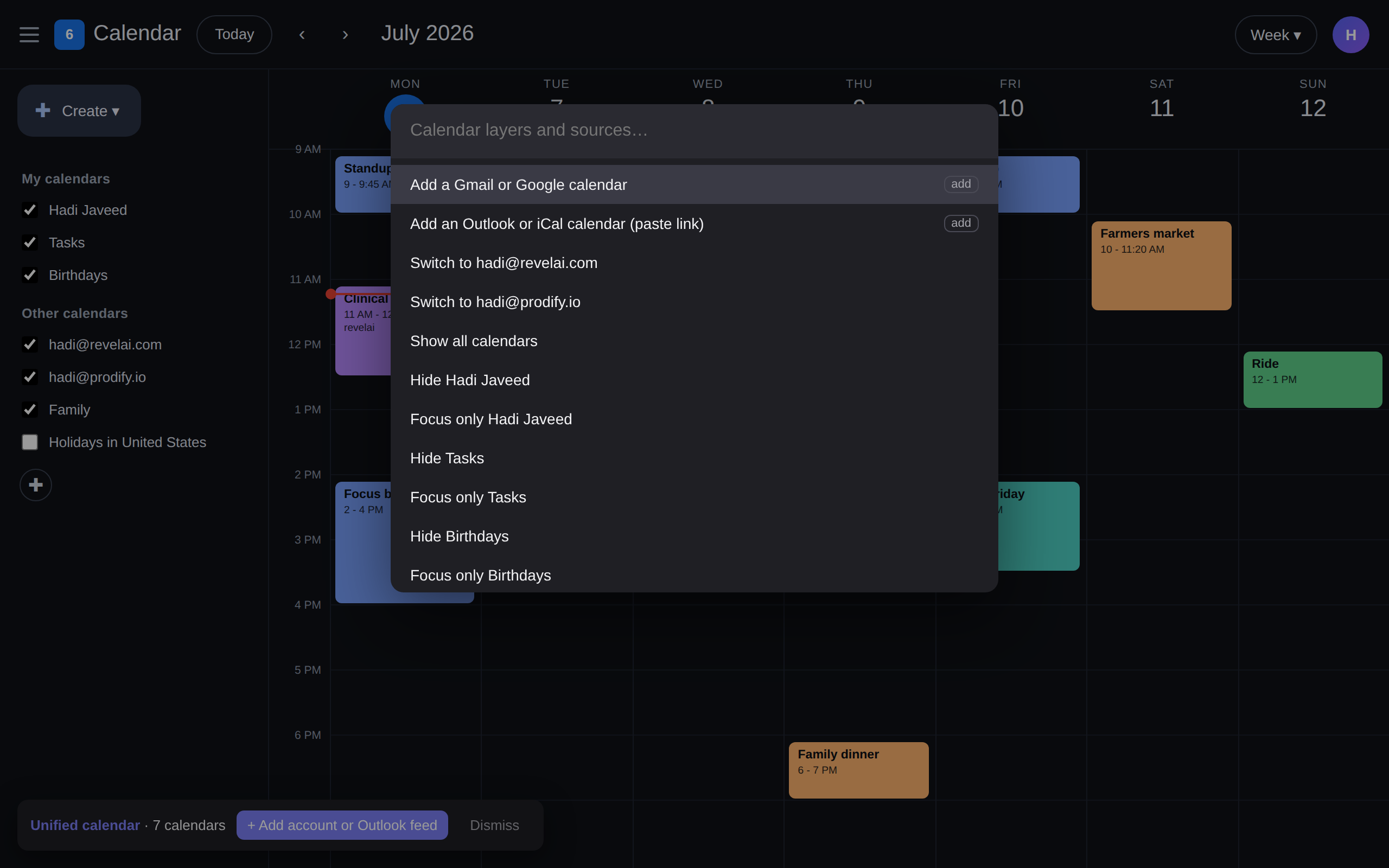
I run three Google accounts and one Outlook feed through it. One view, one keyboard.
Nobody gets my email
Here is where it gets fundamentally different from Superhuman, or any AI email startup.
Superhuman works by keeping a copy of your entire mailbox on their servers. Inbox Keys needs nothing. No Gmail API, no server, no AI, no analytics. The only permission it asks for is storage, for your settings, kept locally. It works by driving Gmail's own UI, the same clicks you would make, just faster, so it never reads, sends, or stores a single email.
Even the screenshots in this post are the real extension running over a demo inbox, because pointing it at real mail for a screenshot felt wrong.
Gmail's DOM is famously hostile to extensions, so the engineering leans defensive: navigation rides Gmail's own URL router, every load-bearing selector lives in one registry with a built-in smoke check, and failures are loud instead of silent. When Gmail redesigns something, it is a one-minute fix, not a mystery.
Try it
Grab it from the Chrome Web Store. Works on Chrome, Edge, Brave, and Arc. Open Gmail, hit Cmd+K, and you are home.
Prefer to read the code first? Clone the repo and load the extension/ folder unpacked. Same thing the store ships, no build step.
The bigger bet
First money with Fino, now email with Inbox Keys. The pattern is the same: figure out which features you actually use, then own them.
Superhuman was a $30 a month lesson in what those features were. I am keeping the lesson and dropping the subscription.
That is the era of personalized software. It does not need to scale to millions of people. It needs to fit one life extremely well. For email, this is the version that fits mine.
Subscribe
Honest takes on AI, startups, and digital health—delivered to your inbox.
Your privacy is paramount. Expect content once or twice a month. Unsubscribe anytime if you don't like it.
Subscribe on Substack